Recording Defects and Readings
Every QC Inspection has two output tables — Parameter Readings and Defects Found. They're the parts that turn an inspection from a status update into actual data. The dashboards, the alerts, the heatmaps all read from these two tables. Sloppy entries here mean sloppy decisions everywhere downstream.
Parameter Readings
The Parameter Readings table is the structured-data half of an inspection. One row per QC Parameter being checked, with:
- Parameter — the QC Parameter from the master.
- Actual Value — what the inspector measured or observed.
- Status — Pass / Fail / N/A.
- Remarks — free-text notes for anything that needs explaining.
The parameter list isn't free-form. It comes from the IQ Template attached to the Tech Pack — that's how GarmentFlow knows what to check for this particular style. An inspector doesn't decide which parameters apply; the template decides, and the inspector confirms or fails each one.
The three inspection types
Each parameter is one of three types, and they're filled in slightly differently:
- Measurement parameters — chest, sleeve length, hem opening. Inspector enters the actual measurement, compares to tolerance, marks Pass/Fail.
- Visual parameters — color matching, print registration, fabric defects. Inspector enters a value if relevant (e.g., "shade match"), marks Pass/Fail.
- Functional Test parameters — zipper operates, button strength, snap closure. Inspector performs the test, marks Pass/Fail.
The type comes from the QC Parameter master. The inspector doesn't pick it; they just respond to what the parameter is asking for.
Critical parameters
A parameter can be flagged as Critical on its master. A failure on any Critical parameter automatically biases the inspection toward Rejected, regardless of the overall defect rate. Treat the Critical flag as a serious signal — it's reserved for the parameters where one failure means the garment isn't shippable.
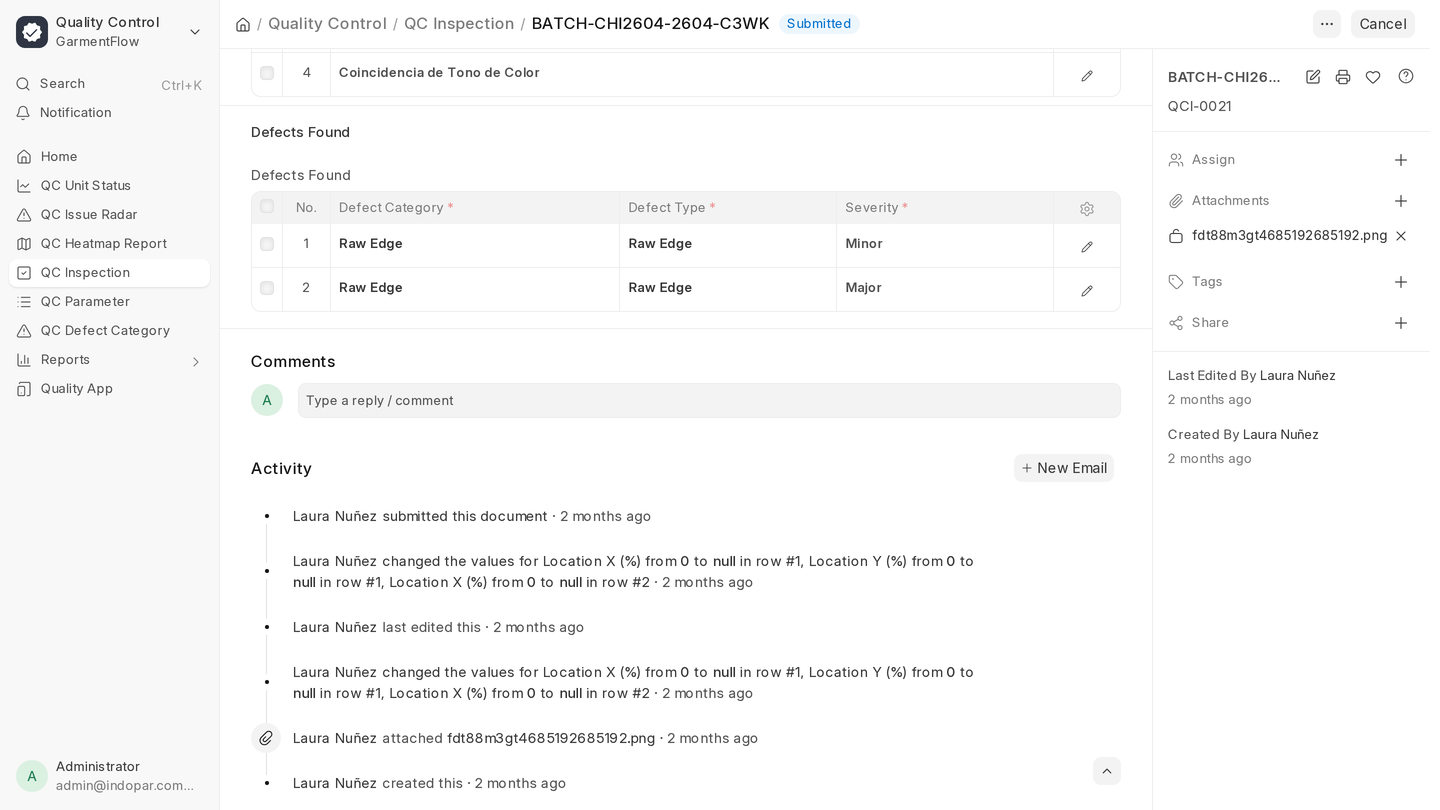
Defects Found
The Defects Found table captures problems that aren't pre-defined in the parameter list — visible defects, construction issues, finishing problems. One row per defect observation:
- Defect Category — from the QC Defect Category tree. The category, not free-text.
- Defect Type — sub-category if applicable.
- Severity — Critical / Major / Minor.
- Defect Count — how many garments in the sample show this defect.
- Location — X/Y coordinates, useful for visual mapping on the heatmap dashboard.
- Image — the photo attached. Almost always present from the App.
- Description — free text.
- Detected By — defaults to the inspector logging the entry.
- Responsible Employee / Skill — who or which skill is being held accountable for the cause.
Why severity matters more than count
Three Minor defects and one Critical defect are not equivalent, and GarmentFlow doesn't treat them as if they are. The QC Alert Configuration lets you set different thresholds per severity, and the dashboards (especially the Issue Radar) weight severity heavily.
The discipline: classify honestly. Don't downgrade a Major to a Minor to keep the batch moving. The point of the data is to surface what's really happening so the next batch is better.
Photos
Photos aren't optional for visual defects. They're the difference between "loose thread on the left cuff" (which means nothing two weeks later) and a photo (which is unambiguous).
The App makes photos one-tap. The Desk supports drag-and-drop. Either way, the photo gets stored on the defect row and shows up everywhere the defect appears — including downstream on the heatmap and on any defect-by-batch report.
How the two tables interact
The inspection's overall result is a function of both:
- Defect Rate is computed from defect count ÷ sample size. It's the headline number that drives Accept/Reject decisions.
- Parameter Pass Rate is computed from parameter readings. A high defect rate but all parameters passing is suspicious; a parameter-heavy fail with no defects is suspicious in the other direction. The dashboards surface that kind of inconsistency.
The inspection's Overall Score combines both, weighted by parameter weightage from the QC Parameter master and defect severity. This is the number the QC team trends over time.
What to do next
The recording side is half of quality. The other half is configuring what's worth recording. Move on to Setup for the masters: parameters, IQ templates, defect categories, and the alerts that turn captured data into prompts.