The Production Workspace
If you run the factory floor, this is your home. Open Desk → GarmentFlow → Production and the entire pipeline from a released order to a finished carton is one click away.
The Production workspace is organized around five cards, in roughly the order work flows through the factory:
- Orders — Production Orders, which take a Production Ready Tech Pack and a quantity and turn them into a plan.
- Cutting & Marker — Marker Orders and Cutting Orders, the bridge between the order and the bundles that hit the line.
- Batches & Execution — Production Batches, Batch Cards, and the Operation Ledger Entries that track every movement.
- Reports — the eight tabular reports for status, capacity, materials, and labor.
- Setup — the masters and settings that need to be right before the floor starts running.
Above those, the workspace surfaces four KPIs you'll glance at every morning: Planned Qty, Orders In Progress, Overdue Orders, Overdue Batches. Below them sit four quick lists: Overdue Production Orders, Overdue Batches, In-Progress Orders, and Planned & Released Orders. Most production managers spend more time in those lists than in the full Production Order list.
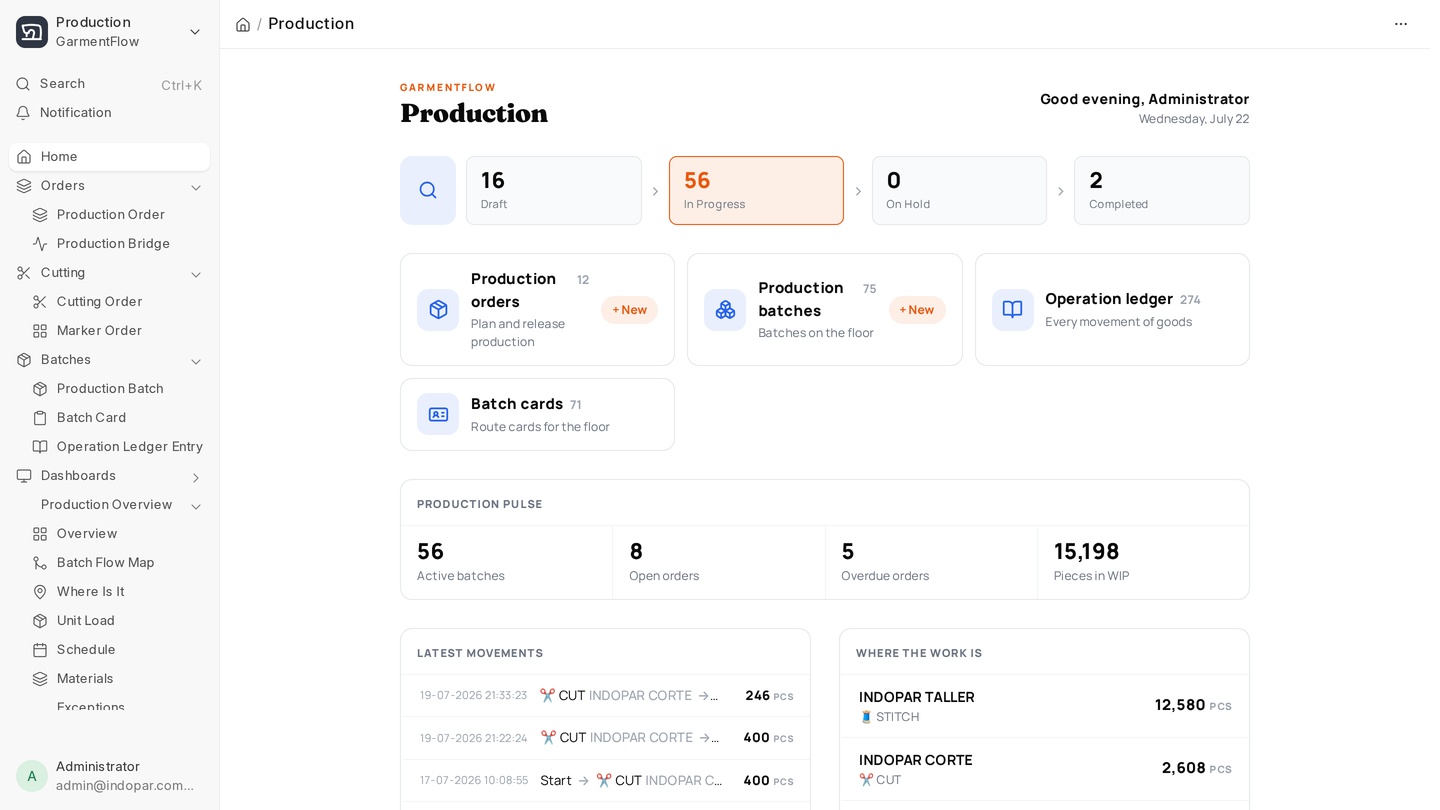
The mental model
Three sentences that tie everything together:
A Production Order says what you're making and how much. A Production Batch is a slice of that order that travels together through the floor — same cut, same line, same path. The Operation Ledger records every time stock or work changes hands.
Every page in this section is a stop somewhere on that path.
Where to start
If you're new to this workspace, read in this order:
- Production Order — what gets created when an order is released.
- Cutting and marker — how an order becomes cut bundles.
- Production Batch — how those bundles flow through operations to finished goods.
- Daily execution — what your supervisors fill in every shift.
When you're ready to see the floor at a glance, jump to Dashboards. When you need a tabular answer, Reports.
The App
There's also a touch-friendly Production App at /garmentflow/production — built for line supervisors with a tablet, not a desk. We cover it on its own page.